


Product Creative Generator
  • Generator
  • Examples
  • Pricing
  • FAQ
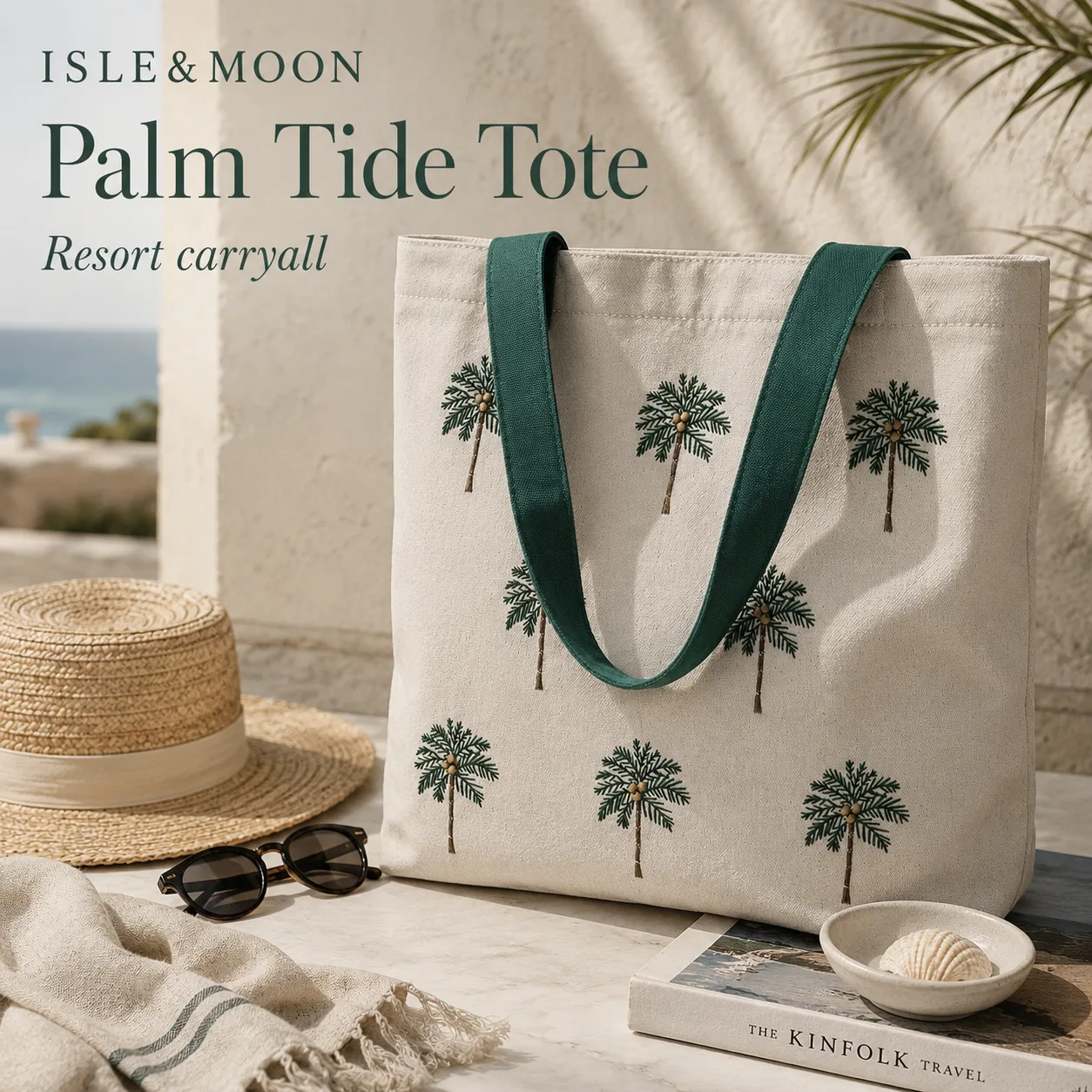
Wide Shopify storefront banner for an embroidered canvas tote launch

launch set

White background Shopify gallery main image of an embroidered palm canvas tote
White gallery main
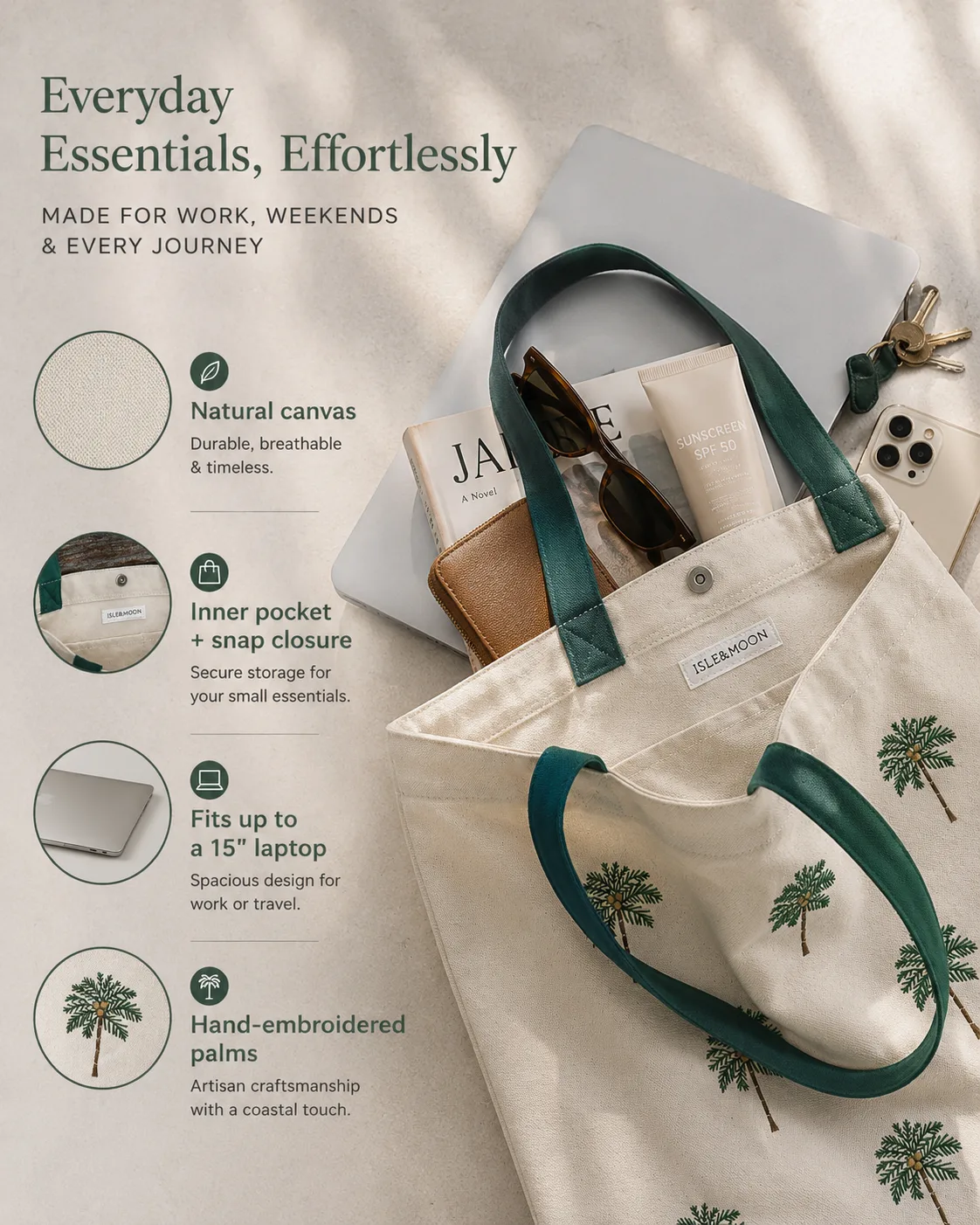
Portrait Shopify product-page hero module for an embroidered palm canvas tote
4:5 product-page hero
Close-up Shopify gallery detail image of embroidery and canvas texture
Embroidery detail
Vertical mobile creative for Shopify social planning
9:16 mobile creative
4:5 product-page hero
9:16 mobile creative

9 outputs

planned before credits

White gallery main thumbnail
4:5 product-page hero thumbnail
16:9 storefront banner thumbnail
9:16 mobile creative thumbnail
1:1 social promo thumbnail

Shopify image set workflow

Shopify Product Photo Generator for Storefront Image Sets

Plan gallery, collection, product-page, banner, and social creatives from one Shopify product brief before spending credits.

Starts by choosing product photos.

See placement map
  • Shopify selected by default
  • Launch set modules included
  • Review the plan before credits
Wide Shopify storefront banner for an embroidered canvas tote launch

launch set

White background Shopify gallery main image of an embroidered palm canvas tote
White gallery main
Portrait Shopify product-page hero module for an embroidered palm canvas tote
4:5 product-page hero
Close-up Shopify gallery detail image of embroidery and canvas texture
Embroidery detail
Vertical mobile creative for Shopify social planning
9:16 mobile creative
4:5 product-page hero
9:16 mobile creative

9 outputs

planned before credits

White gallery main thumbnail
4:5 product-page hero thumbnail
16:9 storefront banner thumbnail
9:16 mobile creative thumbnail
1:1 social promo thumbnail
Shopify placement map

Turn one product brief into a Shopify-ready image set

Shopify sellers need more than one nice product shot. The image set has to look professional, stay consistent in collection grids, show enough angles and details, support product-page storytelling, and still leave admin work like alt text, file size, variant media, and theme preview for seller review.

Our fix

Plan product media, collection featured images, PDP proof modules, storefront banners, and launch creatives as separate deliverables before spending credits.

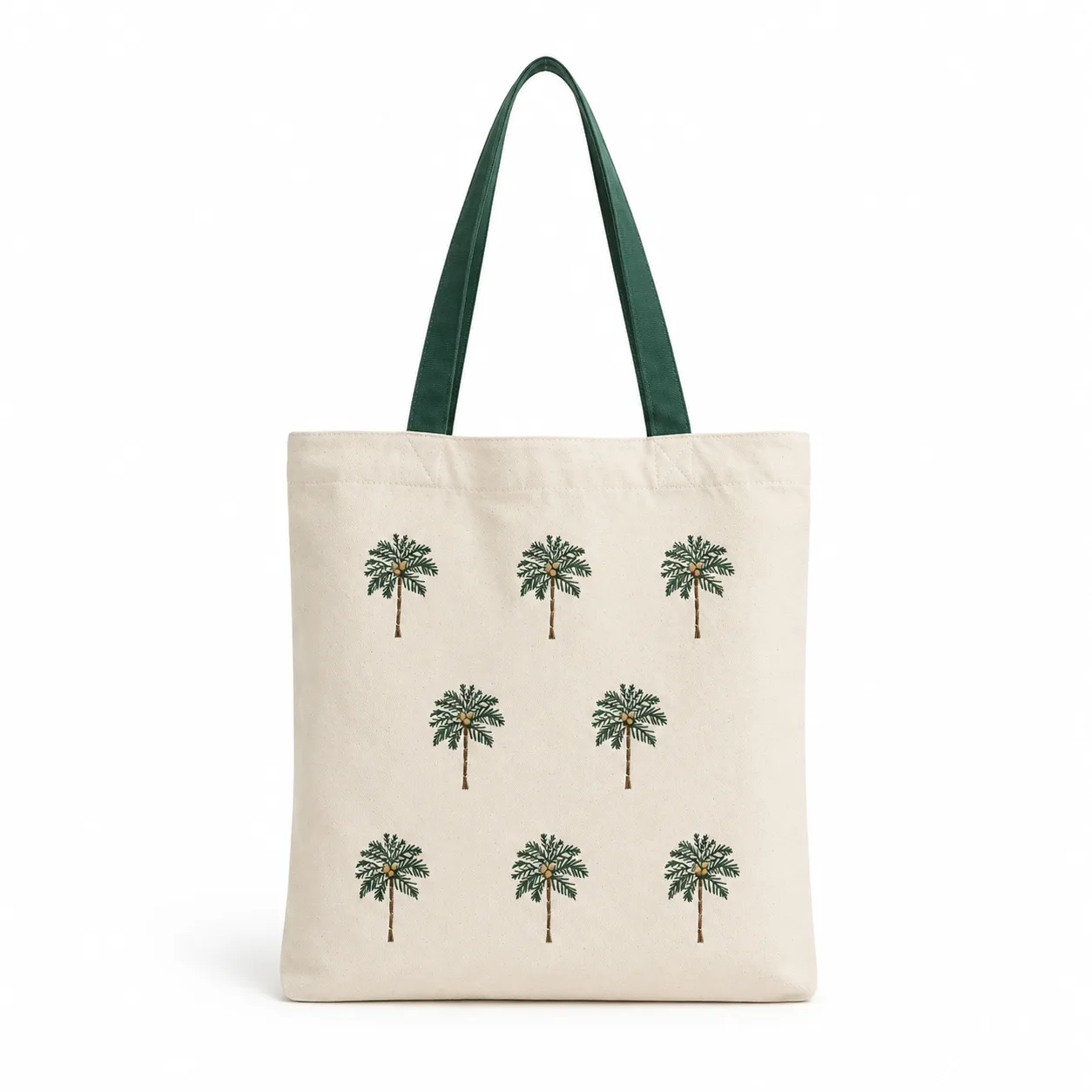
Square Shopify product gallery image of an embroidered palm canvas tote on a white background

Seller pain

DIY product shots can look inconsistent or distracting, which makes a young store feel less trustworthy.

Our fix

We create a clean product-first gallery anchor that gives the store a more professional product media baseline.
1:1 square

White background gallery main

Slot 1

A clean product-led media image for the first product page slot, thumbnails, quick view, and store browsing.

Seller pain: DIY product shots can look inconsistent or distracting, which makes a young store feel less trustworthy.

Our fix: We create a clean product-first gallery anchor that gives the store a more professional product media baseline.
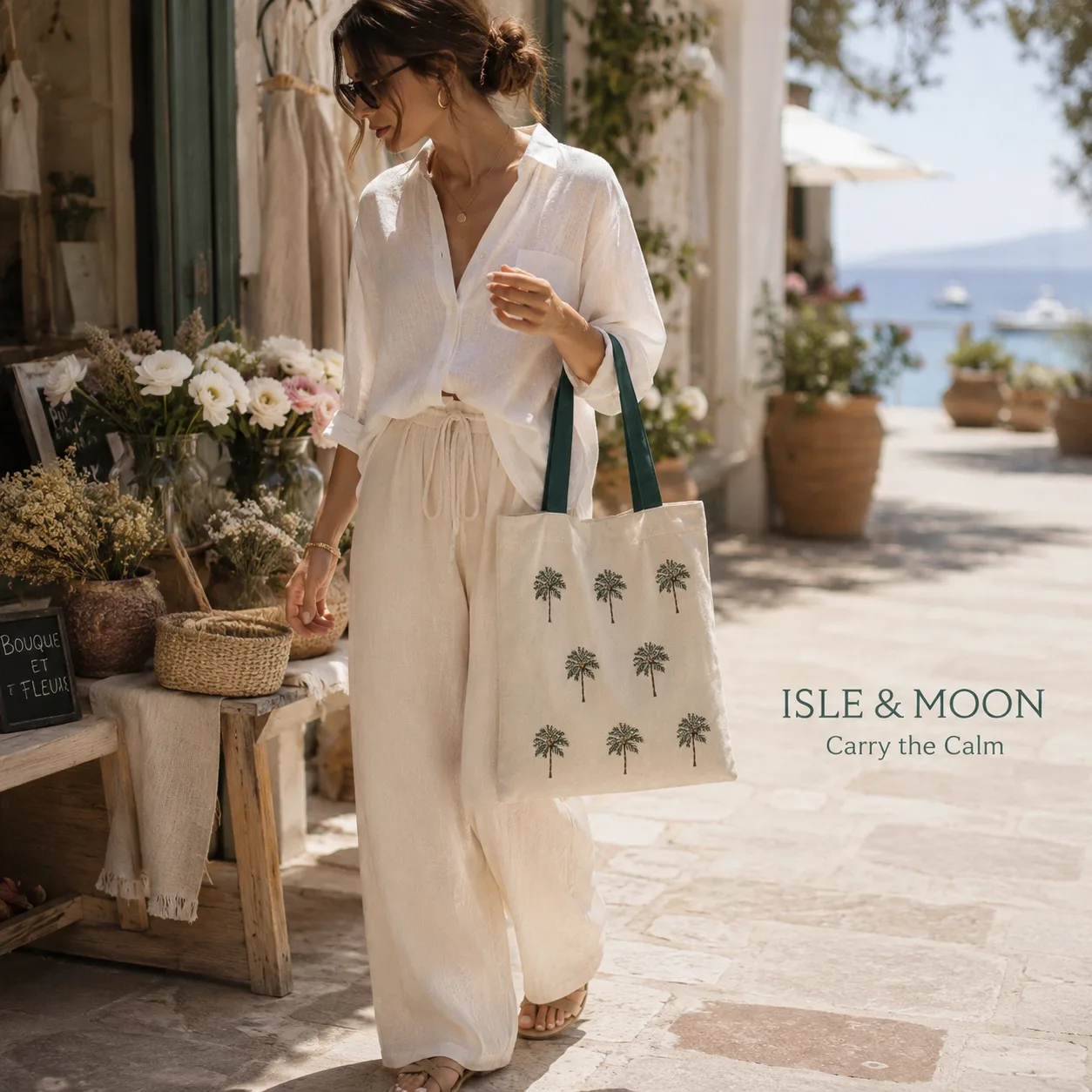
Square Shopify lifestyle gallery image of an embroidered palm canvas tote near a beach setting

Seller pain

A product-only gallery leaves buyers guessing how the item fits into real use, styling, or gifting context.

Our fix

We add a believable lifestyle scene that keeps the product clear without turning the gallery into an ad poster.

1:1 square

Lifestyle gallery image

Slot 2

A believable use-case scene that still belongs inside the product media carousel.

Seller pain: A product-only gallery leaves buyers guessing how the item fits into real use, styling, or gifting context.

Our fix: We add a believable lifestyle scene that keeps the product clear without turning the gallery into an ad poster.

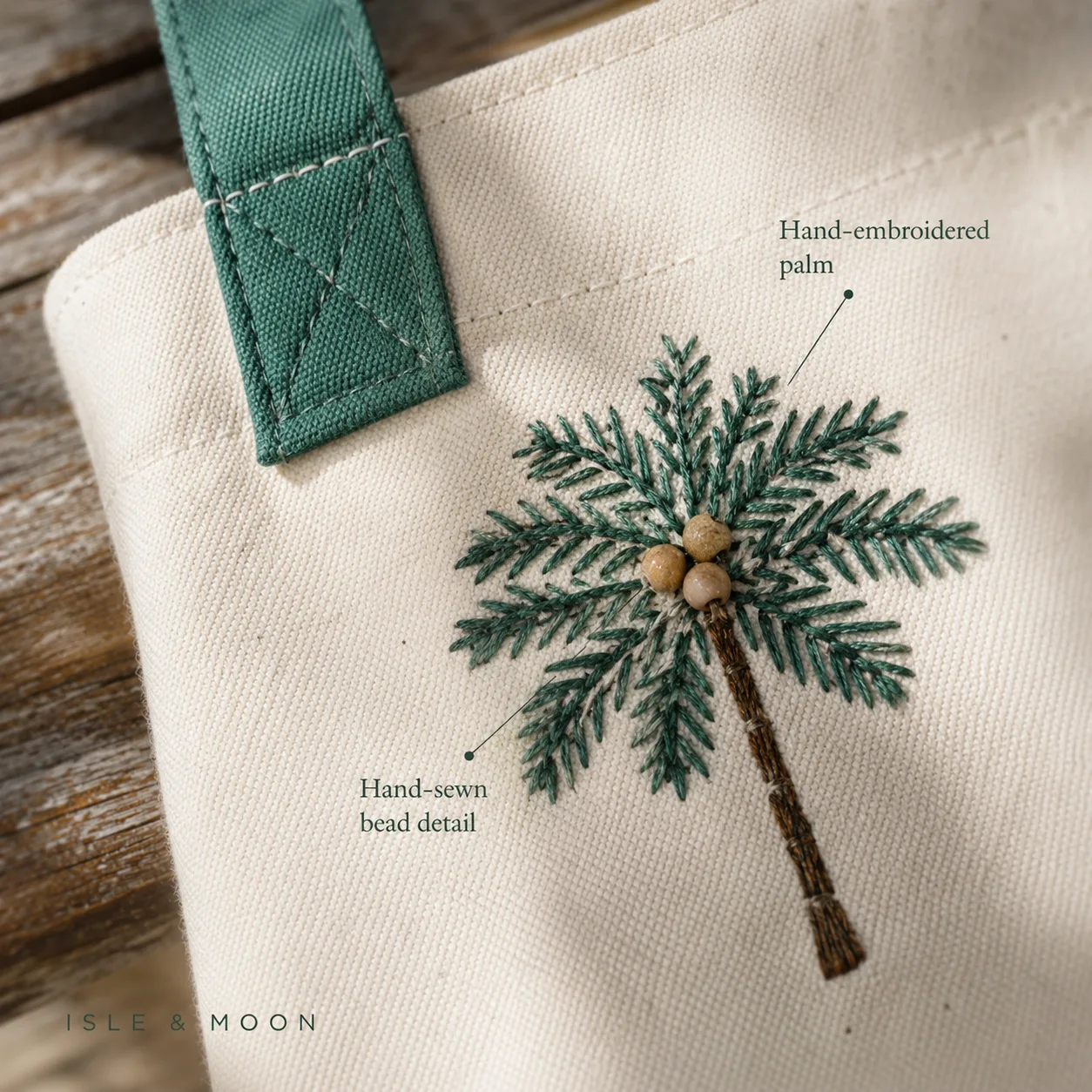
Square close-up detail image showing embroidery and canvas texture on a Shopify tote product

Seller pain

Buyers cannot touch fabric, stitching, hardware, or packaging, so missing close-ups weaken product confidence.

Our fix

We reserve a dedicated detail image for visible material and construction proof, not generic AI decoration.

1:1 square

Embroidery / canvas detail

Slot 3

A close product detail image for material, stitching, embroidery, handle, finish, or packaging proof.

Seller pain: Buyers cannot touch fabric, stitching, hardware, or packaging, so missing close-ups weaken product confidence.

Our fix: We reserve a dedicated detail image for visible material and construction proof, not generic AI decoration.

Shopify collection thumbnail for an embroidered palm canvas tote

Seller pain

Different aspect ratios and product scale make collection grids look uneven and unpolished.

Our fix

We generate a consistent product-first thumbnail for featured images and collection cards.

1:1 square

Collection thumbnail

Slot 4

A product-first thumbnail for collection grids, product cards, related products, and store browsing.

Seller pain: Different aspect ratios and product scale make collection grids look uneven and unpolished.

Our fix: We generate a consistent product-first thumbnail for featured images and collection cards.

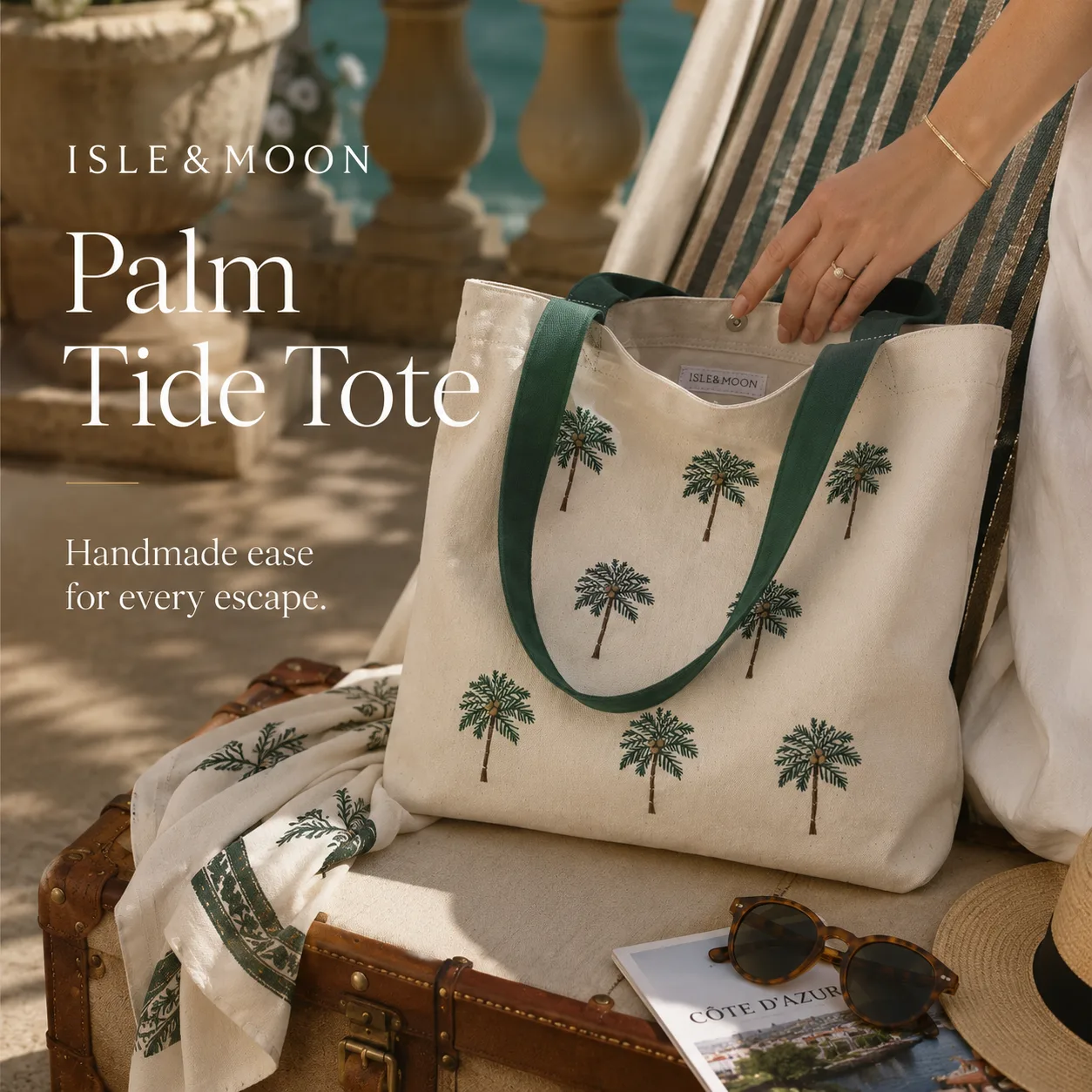
Portrait Shopify product page module showing an embroidered palm canvas tote in a lifestyle scene

Seller pain

Product pages often jump from plain gallery photos to dense sales copy without a clear visual product story.

Our fix

We create a focused PDP module with short seller-provided copy and a clear product-first hierarchy.

4:5 portrait

Product-page hero

Slot 5

A PDP hero-style proof module with controlled hierarchy, product context, and concise seller-provided copy.

Seller pain: Product pages often jump from plain gallery photos to dense sales copy without a clear visual product story.

Our fix: We create a focused PDP module with short seller-provided copy and a clear product-first hierarchy.

Portrait Shopify material and function module for an embroidered palm canvas tote

Seller pain

Material, capacity, and use-case claims feel generic when they are not tied to visible product evidence.

Our fix

We turn visible details and seller facts into controlled callouts that read like proof, not filler.

4:5 portrait

Material / function module

Slot 6

A PDP module for visible material cues, handle structure, use case, capacity, or construction details.

Seller pain: Material, capacity, and use-case claims feel generic when they are not tied to visible product evidence.

Our fix: We turn visible details and seller facts into controlled callouts that read like proof, not filler.

Wide Shopify storefront banner featuring an embroidered palm canvas tote

Seller pain

A homepage or collection banner needs brand context and product visibility, not just an enlarged gallery photo.

Our fix

We plan a wide storefront asset with product focus, copy space, and a clear focal point for theme preview.

16:9 landscape

Storefront banner

Slot 7

A storefront banner for the homepage hero, collection header, campaign section, or launch block.

Seller pain: A homepage or collection banner needs brand context and product visibility, not just an enlarged gallery photo.

Our fix: We plan a wide storefront asset with product focus, copy space, and a clear focal point for theme preview.

Vertical mobile creative of an embroidered palm canvas tote for Shopify social planning

Seller pain

Mobile and social launches need vertical creative, while product galleries are not designed for that job.

Our fix

We generate a mobile-first launch asset with simple message density and clear product presence.

9:16 vertical

Story / mobile creative

Slot 8

A mobile-first creative for story, reel, paid social, launch announcement, or app-style preview.

Seller pain: Mobile and social launches need vertical creative, while product galleries are not designed for that job.

Our fix: We generate a mobile-first launch asset with simple message density and clear product presence.

Square Shopify social promo creative for an embroidered palm canvas tote launch

Seller pain

Feed creatives need a clear launch message without fake discounts, fake reviews, or platform badges.

Our fix

We keep the product and message readable at square feed size so the image can be reused cleanly.

1:1 square

Social promo creative

Slot 9

A square launch creative for feed posts, product drops, promo tests, and reusable store messaging.

Seller pain: Feed creatives need a clear launch message without fake discounts, fake reviews, or platform badges.

Our fix: We keep the product and message readable at square feed size so the image can be reused cleanly.

Start with the Shopify launch preset

Open the planner with Shopify selected, upload product photos, then review the image set before spending credits.

Start Shopify image set
Shopify workflow

Plan the store image set before generating

The workflow starts with Shopify defaults, then lets sellers adjust the plan before image generation and credit spend.

  1. 1

    Upload product assets

    Start with 1-5 real product photos. Include handle, texture, packaging, or angle shots when those details matter.

  2. 2

    Use the Shopify launch preset

    Keep platform set to Shopify and use Launch set when you need gallery, product-page, banner, and social outputs together.

  3. 3

    Add store-specific notes

    Tell the planner material, buyer use case, brand tone, claim limits, target market, and any copy that may appear on explanatory modules.

  4. 4

    Review every module

    Check image-set consistency, product visibility, proof details, copy policy, and whether the output belongs in a gallery, PDP module, banner, or social placement.

  5. 5

    Publish from Shopify admin

    Download selected images, then upload, set concise alt text, compress if needed, assign variant media, and preview the theme before publishing.

Plan preview

Shopify launch set

Platform
Shopify
Output set
Launch set
Market
United States
Language
English (US)
Gallery
1:1 product-first media
Banner
16:9 storefront asset
Product page
4:5 proof modules
Social
9:16 mobile creative
Publishing checklist

Check consistency, proof, and Shopify admin details

Treat the generated set like real store media before publishing. Confirm that the collection grid feels consistent, the gallery proves the product, PDP copy is supported by facts, and Shopify admin details are finished.

Storefront images may become public, so review every asset before publishing in Shopify admin.

Collection grid looks consistent

Use consistent aspect ratio and product scale for featured images so collection cards feel aligned across the theme.

Product media proves the item

Confirm the gallery includes a clean anchor image, lifestyle context, close-up details, and enough angles for buyers who cannot inspect the item in person.

Claims stay tied to evidence

Keep material, capacity, use-case, and benefit copy connected to visible details or seller-provided facts.

Admin details are finished

Set brief alt text, useful filenames, compression or file-size checks, variant media rules, focal point or theme preview, and SKU-specific checks before publishing.

shopify product photo generator

FAQ for Shopify product image planning

Can Shopify product images use text overlays?

Yes, but only on images intended for product-page modules, banners, or social crops. Keep product gallery and collection thumbnail images product-first, uncluttered, and readable in small square crops.

Which image ratio should I use for Shopify collection thumbnails?

A consistent 1:1 square is the safest default for collection grids and product cards. Shopify themes vary, so sellers should still review theme crop behavior and focal points before publishing.

Can one product photo create a banner and social crop?

A single product photo can start the plan, but banner and social crops need separate composition decisions. The workflow plans square gallery images, wider storefront banners, and mobile crops as different outputs from the same brief.

Does this upload images directly into Shopify?

No. Product Creative Generator creates and stores image outputs for review. Sellers still upload chosen assets, set alt text, check filenames, and review theme cropping inside Shopify admin.

Should I use the same image for the gallery and homepage hero?

Usually no. Gallery and collection images should keep the product clear and compact, while homepage or collection banners often need wider composition, more negative space, and shorter copy.

What should I check before publishing Shopify product images?

Check product accuracy, material and color, crop on desktop and mobile, text readability, alt text, file size, theme focal point, and whether any claims or guarantees came from the seller brief rather than the AI model.

Start with the Shopify launch preset

Open the planner with Shopify selected, upload product photos, then review the image set before spending credits.

Start Shopify image setBack to main tool
Product Creative Generator

Generate listing, detail-page, and launch image sets from your product photos.

Related Tools
  • Product Creative Generator
  • Amazon Product Image Generator
  • Shopify Product Photo Generator
Product
  • Pricing
  • FAQ
Company
  • About
  • Contact
Legal
  • Cookie Policy
  • Privacy Policy
  • Terms of Service
© 2026 Product Creative Generator. All Rights Reserved.