Product Creative Generator
  • Product Creative Generator
  • 价格
  • FAQ

Ecommerce seller image console

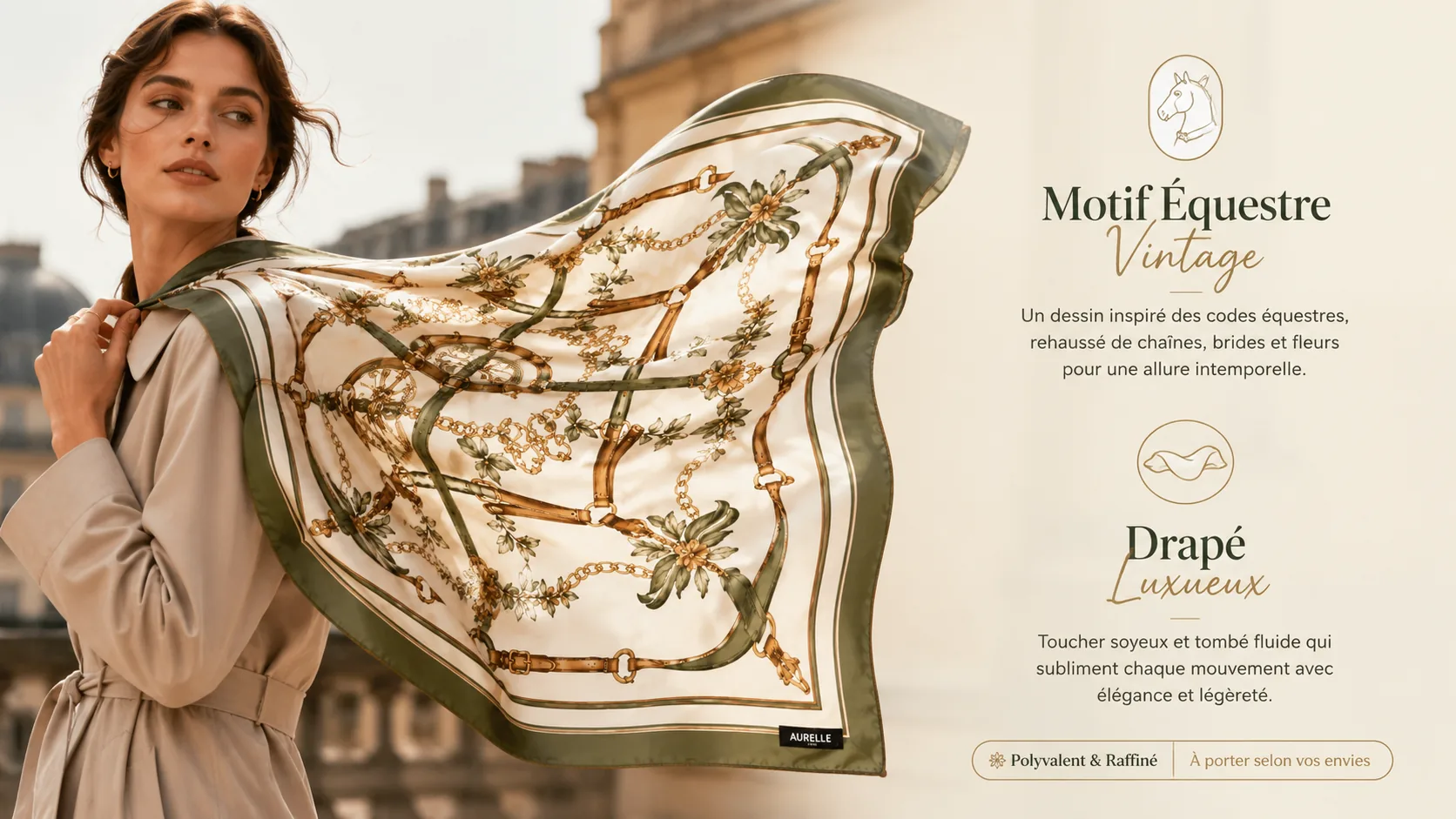
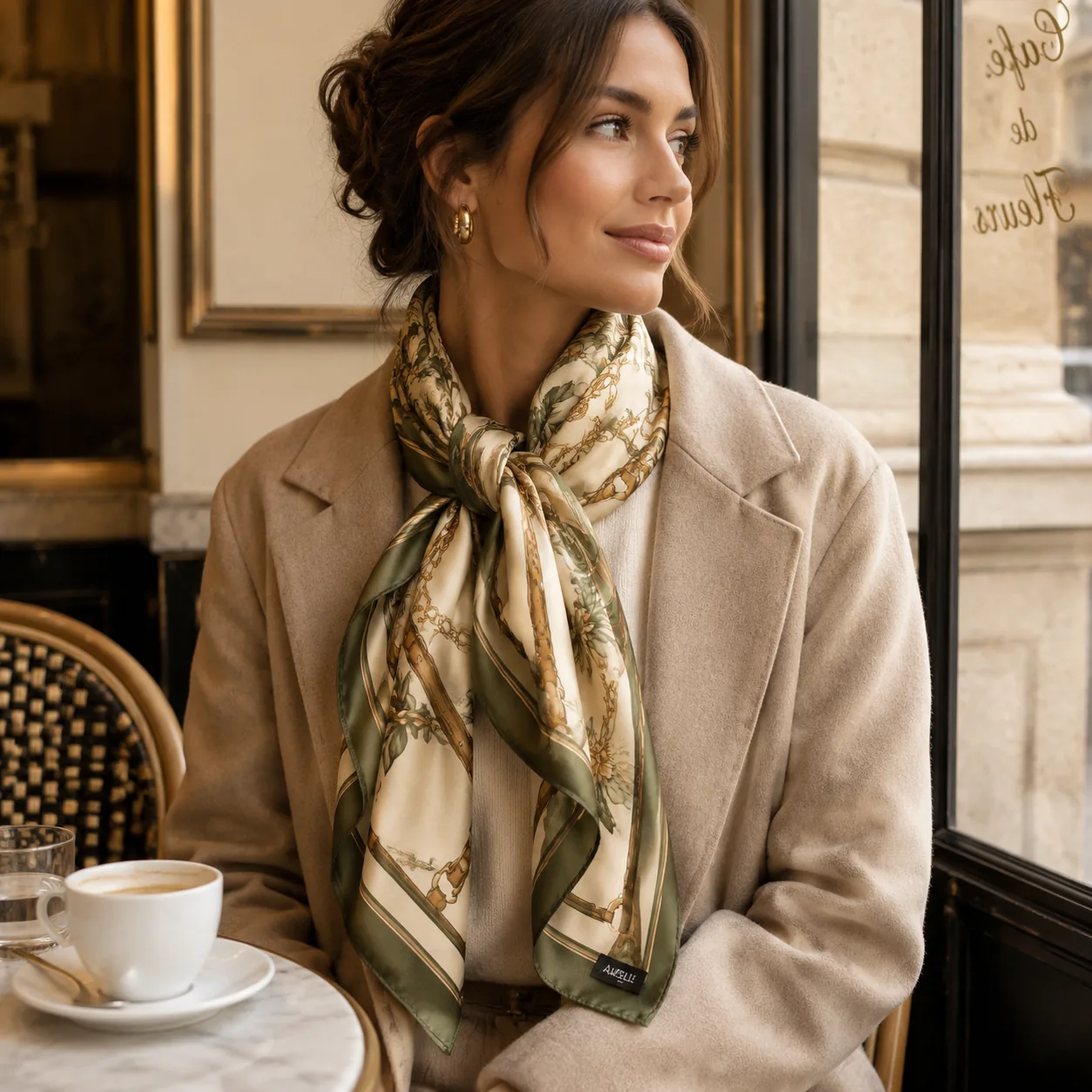
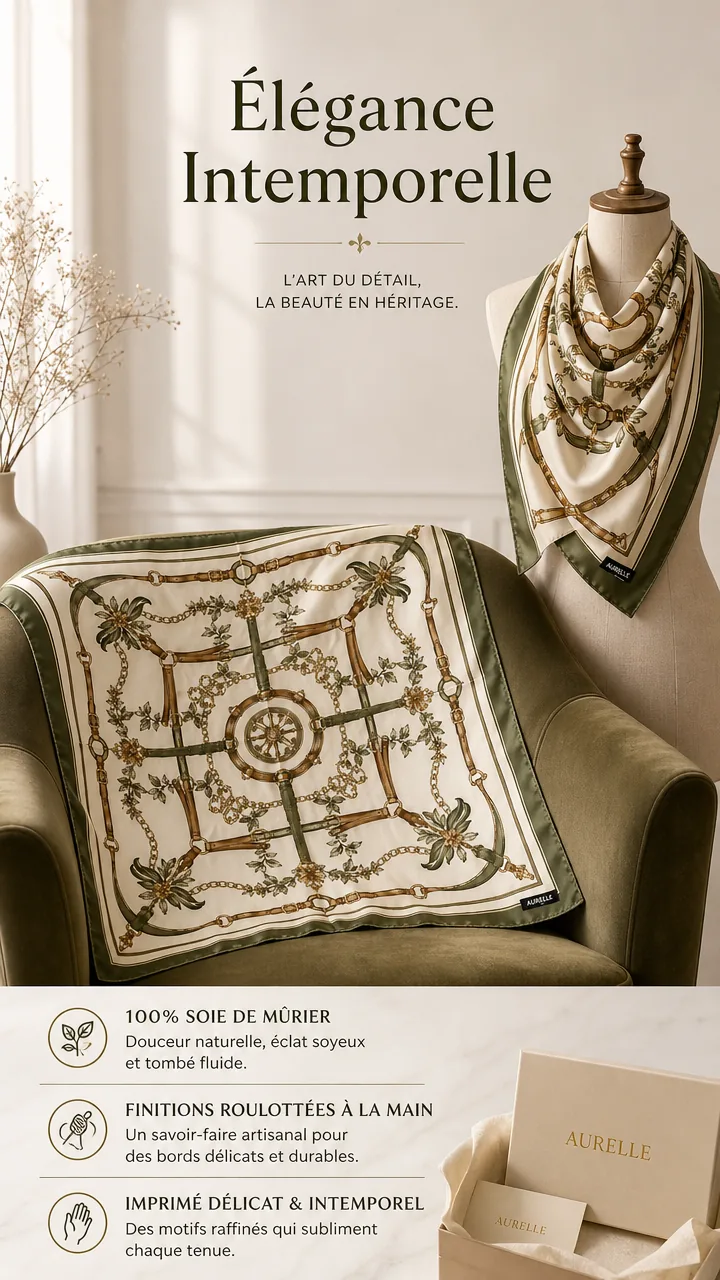
Turn product photos into listing-ready image sets

Upload a product photo, choose the sales channel, and create a set of images for listings, ads, product pages, and social tests.

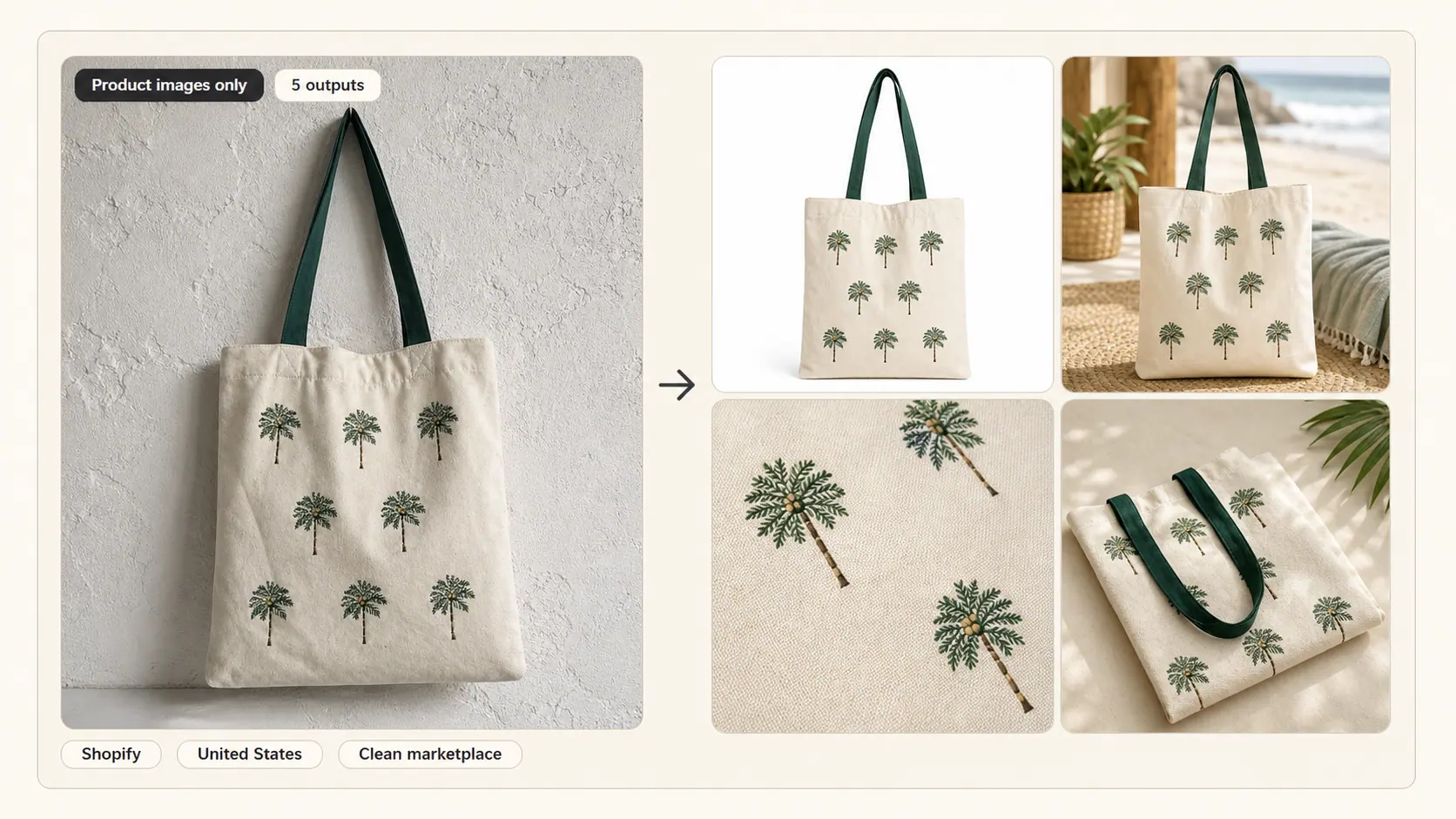
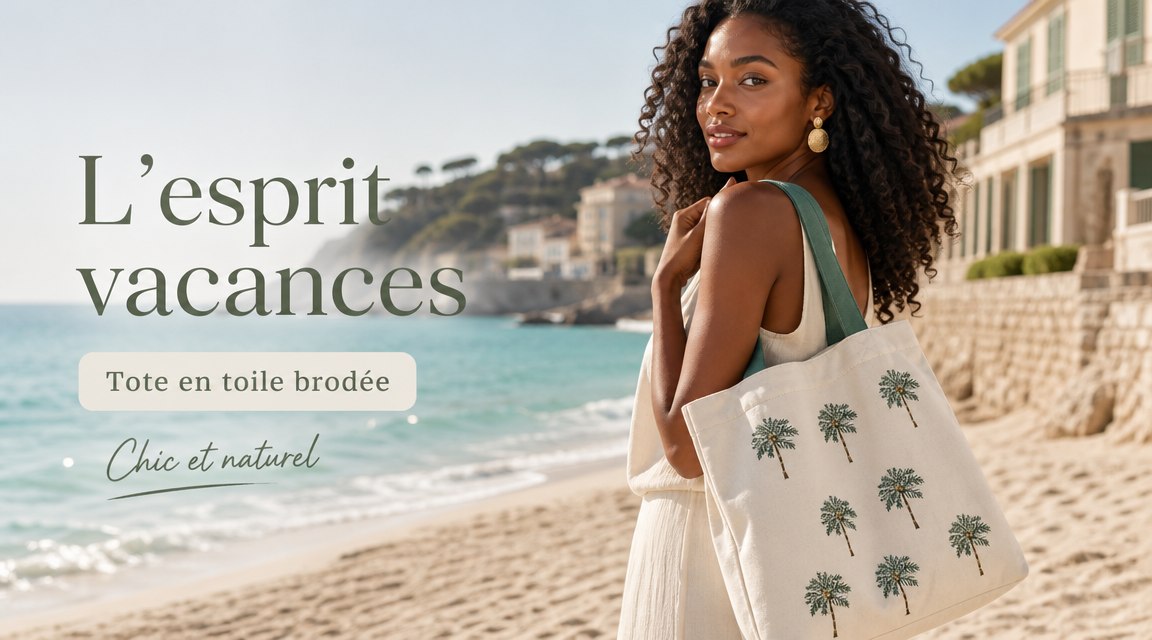
Embroidered palm canvas tote demo set

One product photo to a 5-image Shopify output set.

Input

1-5 product photos

Output

3-15 usable images

Use

List, launch, test

Production intake

Start with product assets, then shape the image set.

10 outputs
  1. 1Upload
  2. 2Brief
  3. 3Plan
  4. 4Generate
  5. 5Use
0/5
Platform
Target market
Language

United States defaults to English (US), USD, US spelling, and US sizing. You can override only the visible text language.

Visual theme
Platform defaults
Main 1:1 Square; detail 4:5 Portrait. Main image: white or clean neutral, forbidden text.

Image set

Ratios follow the selected platform by default. Custom modules can still override each image.

50 credits

Output count

Full launch set: 11 planned modules available.

10
  • -Upload at least one product photo.
  • -Add a product name.

Run status

Track every requested image in this set.

10 outputs

Ready to generate

0%

Choose the image set on the left, then start generation when the setup is ready.

Output set

The selected jobs share one visual theme and visible text language.

10 images / 50 credits
ImageUseRatioCredits
Main images
White background main image
UseMarketplace-ready primary product image with the product as the only subject.No added text, icons, badges, labels, or graphic overlays.
Ratio1:1 Square
Credits5
Main images
Scene main image 1
UsePure product scene for listing galleries and storefront cards.No added text, icons, badges, labels, or graphic overlays.
Ratio1:1 Square
Credits5
Main images
Scene main image 2
UseAlternate lifestyle scene for users to understand where the product fits.No added text, icons, badges, labels, or graphic overlays.
Ratio1:1 Square
Credits5
Main images
Clean detail image 1
UseClose-up product-only detail image for listing galleries.No added text, icons, badges, labels, or graphic overlays.
Ratio1:1 Square
Credits5
Main images
Clean detail image 2
UseSecond product-only detail image for buyer inspection.No added text, icons, badges, labels, or graphic overlays.
Ratio1:1 Square
Credits5
Detail page
Hero value module
UseProduct plus core benefit and concise value proposition.Short conversion copy is allowed in the selected language.
Ratio4:5 Portrait
Credits5
Detail page
Differentiated advantage module
UsePrimary selling point section for conversion.Short conversion copy is allowed in the selected language.
Ratio4:5 Portrait
Credits5
Detail page
Material and function module
UseFeature proof section with visual callouts.Short conversion copy is allowed in the selected language.
Ratio4:5 Portrait
Credits5
Detail page
Use scene module
UseScenario and experience section.Short conversion copy is allowed in the selected language.
Ratio4:5 Portrait
Credits5
Detail page
Comparison module
UseComparison section that clarifies the choice.Short conversion copy is allowed in the selected language.
Ratio4:5 Portrait
Credits5
Workflow-matched examples

Demo sets now mirror the production console

Each recipe uses the same inputs the tool asks for: product photos, platform defaults, target market, language, visual theme, set mode, output count, and module labels.

Input

1-5 photos

Plan

3-15 modules

Cost

5 credits/img

Embroidered palm canvas tote Product images only ecommerce set preview
Product images only5 outputs
ShopifyUnited StatesClean marketplace

Shopify gallery set

25 credits

Embroidered palm canvas tote for Shopify

Language

English (US)

Ratio defaults

Main image 1:1; Shopify detail defaults to 4:5

Input brief

One tote photo plus notes about coconut palm embroidery, beach-vacation styling, canvas texture, reinforced handles, and resort gifting.

Output plan

A 5-image product-only set: white-background main image, coastal lifestyle scene, embroidery close-up, canvas texture detail, and scale view.

White background main image

Main images / No text overlay

1:1 Square

Scene main image 1

Main images / No text overlay

1:1 Square

Scene main image 2

Main images / No text overlay

1:1 Square

Clean detail image 1

Main images / No text overlay

1:1 Square

+1 more modules in this recipe

No text overlays. The embroidered palm design stays visible while the set still works in product galleries, collection cards, and storefront blocks.

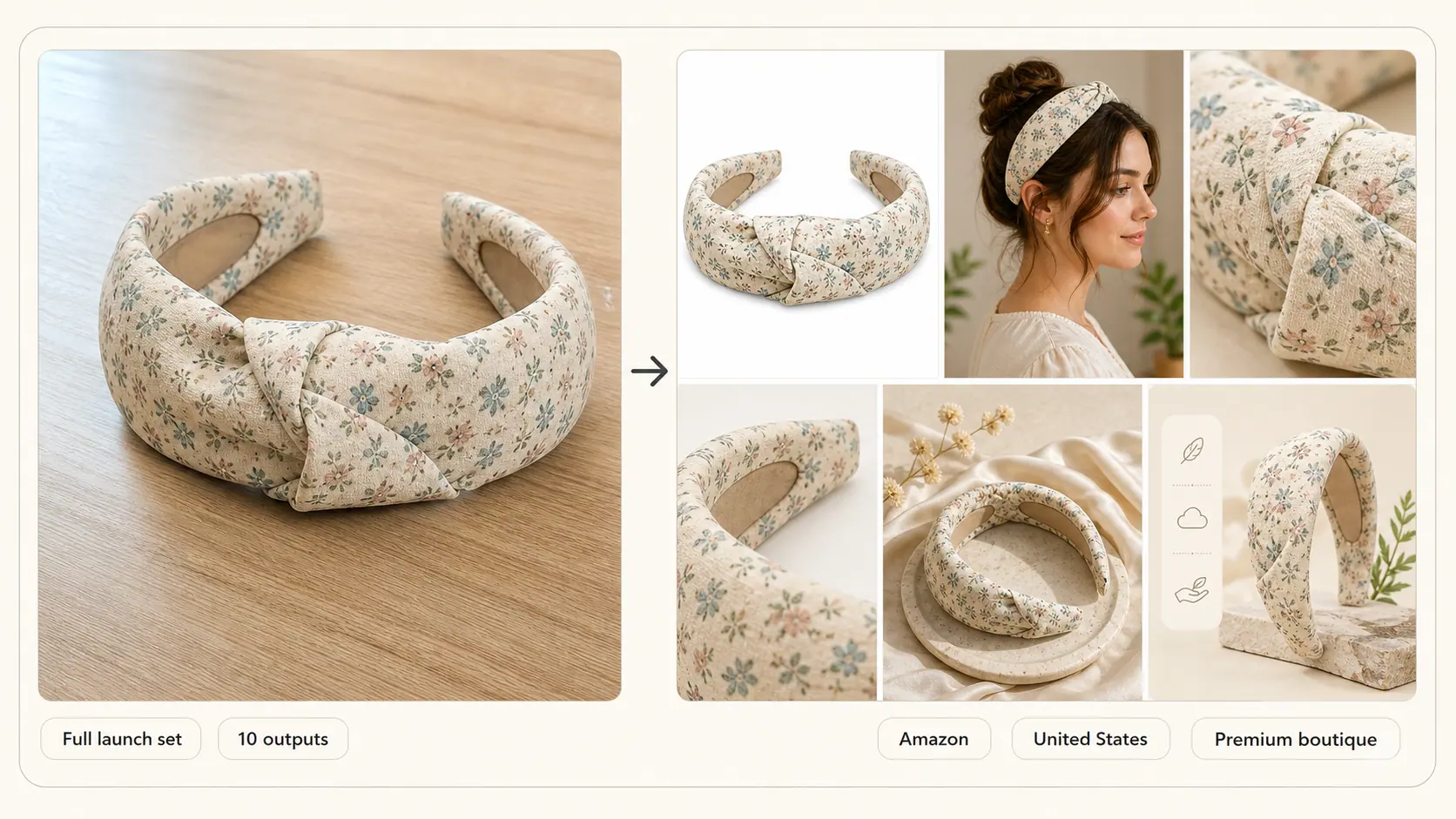
Hair accessory set Full launch set ecommerce set preview
Full launch set10 outputs
AmazonUnited StatesPremium boutique

Amazon launch set

50 credits

Hair accessory set for Amazon

Language

English (US)

Ratio defaults

Amazon main and secondary modules default to 1:1

Input brief

Accessory set photos plus notes about gentle hold, satin finish, pearl detail, and quick styling use.

Output plan

A 10-image launch set that combines Amazon-safe product images with detail modules for material, hold, and styling steps.

White background main image

Main images / No text overlay

1:1 Square

Scene main image 1

Main images / No text overlay

1:1 Square

Clean detail image 1

Main images / No text overlay

1:1 Square

Hero value module

Detail page / Short copy allowed

1:1 Square

+2 more modules in this recipe

The first modules stay product-first; later modules can use concise English callouts for hold, material, styling, and gift use.

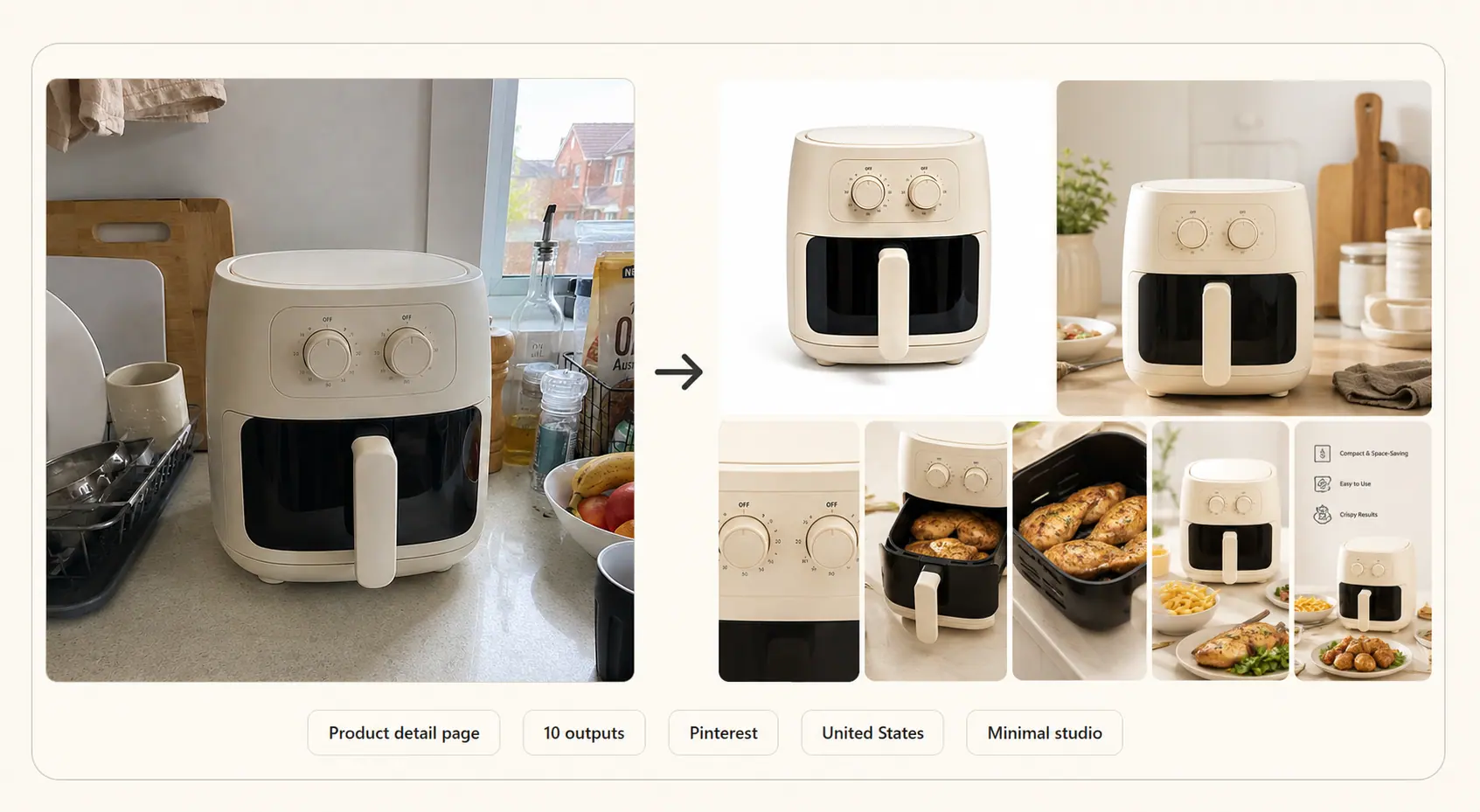
Mini air fryer Product detail page ecommerce set preview
Product detail page10 outputs
PinterestUnited StatesMinimal studio

Pinterest detail-page set

50 credits

Mini air fryer for Pinterest

Language

English (US)

Ratio defaults

Pinterest modules default to 2:3 portrait

Input brief

Small appliance packshot and notes about compact counters, daily portions, airflow, cleaning, and gifting.

Output plan

A 10-module detail-page plan with vertical Pinterest defaults, concise visible copy, feature proof, specs, and packaging.

Hero value module

Detail page / Short copy allowed

2:3 Portrait

Pain and fit module

Detail page / Short copy allowed

2:3 Portrait

Use scene module

Detail page / Short copy allowed

2:3 Portrait

Material and function module

Detail page / Short copy allowed

2:3 Portrait

+3 more modules in this recipe

This recipe focuses on buyer understanding: countertop fit, airflow, basket cleaning, capacity, portion use, and gift readiness.

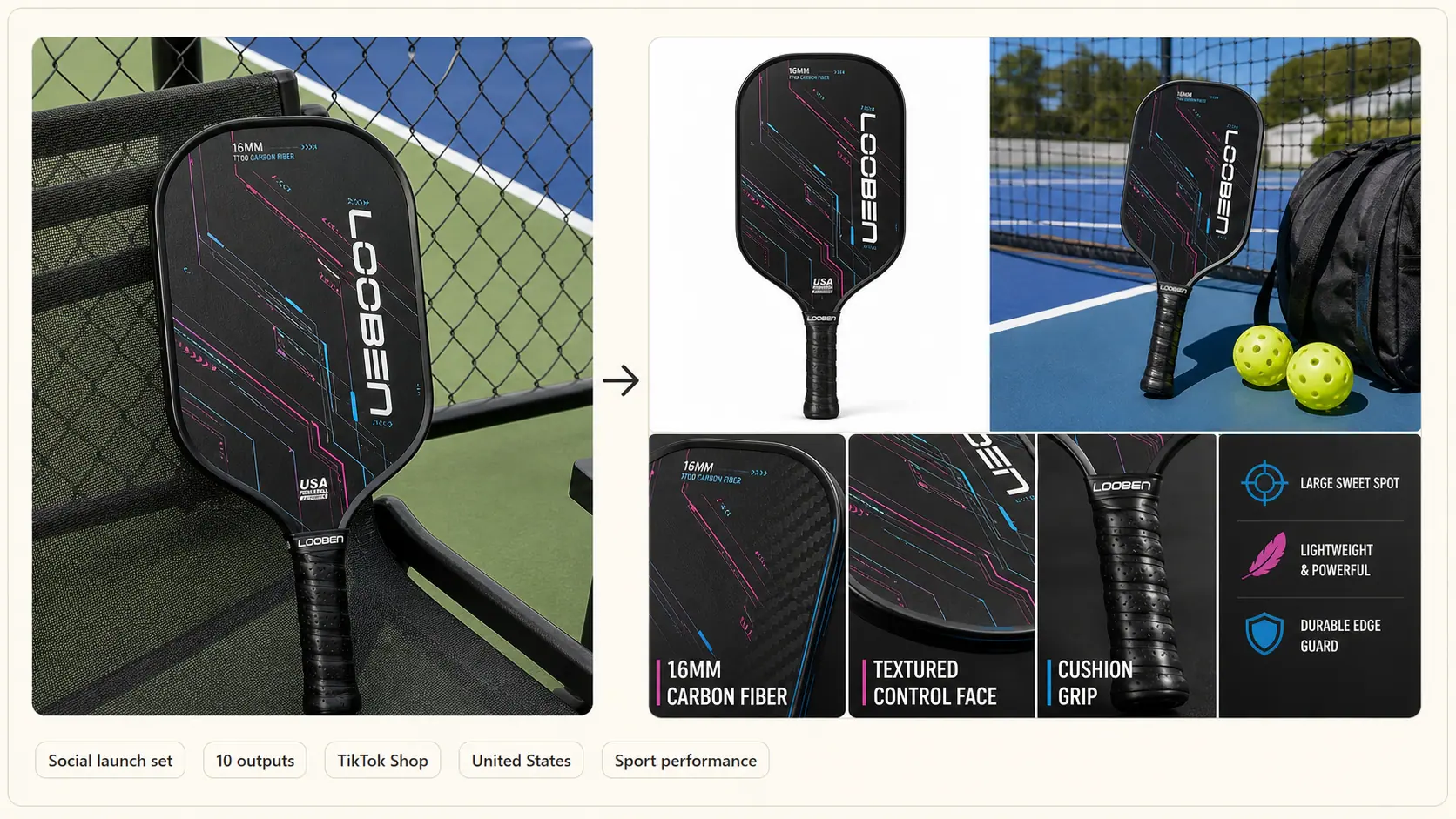
RC racing car Full launch set ecommerce set preview
Full launch set10 outputs
TikTok ShopUnited StatesPlayful social commerce

TikTok Shop social launch set

50 credits

RC racing car for TikTok Shop

Language

English (US)

Ratio defaults

Catalog images default to 1:1; TikTok social modules use 9:16

Input brief

RC car packshot plus notes about 1:16 scale, rugged tires, drift play, rechargeable battery, controller, and gift-ready unboxing.

Output plan

A 10-image TikTok Shop launch set: vertical action scene, clean product shot, speed module, battery runtime module, tire detail, and unboxing layout.

White background main image

Main images / No text overlay

1:1 Square

Vertical action scene

Social creative / Short copy allowed

9:16 Vertical

Speed and drift module

Social creative / Short copy allowed

9:16 Vertical

Battery runtime module

Detail page / Short copy allowed

1:1 Square

+2 more modules in this recipe

The catalog image stays clean while social modules can use short, high-energy callouts for drift, runtime, rugged tires, and what comes in the box.

价格

一次性积分包

按实际生成的商品图购买积分,无需月度订阅。

入门包
200 个积分,适合小批量商品图生成
$9.90
一次性积分包
积分200
可生成图片40
最划算
标准包
550 个积分,适合常规电商上架和广告素材
$19.90
一次性积分包
积分550
可生成图片110
专业包
1,450 个积分,适合更大的目录刷新
$49.90
一次性积分包
积分1,450
可生成图片290
积分消耗

只有生成图片才消耗积分

Product Creative Generator 每生成 1 张图片消耗 5 个积分。提交生成任务时扣除积分;失败的图片项会自动退回到同一账户。

免费开始

注册赠送 50 个积分

单次生成

最多 15 张图片

队列限制

每个用户最多 3 个进行中的任务

失败处理

失败图片项自动退回积分

Image set types

What the set can include

Each output exists for a seller job: listing, explaining, retargeting, or testing a new angle.

Main product images

Clean listing visuals for product pages, marketplace cards, collection pages, and shopping feeds.

Benefit and feature graphics

Structured images that explain core features, materials, capacity, ingredients, or technical specifications.

Lifestyle and scene images

Context-rich scenes for ads, landing pages, social posts, and store banners that show the product in use.

Detail, size, and comparison images

Conversion-focused visuals that answer buyer questions about scale, quality, use cases, and differences.

Packaging and how-to images

Gift-ready packaging shots, unboxing visuals, setup steps, and care instructions for ecommerce listings.

Platform-aware

Platform targets

Select the sales channel before generation so the image set matches the place it will be used.

ShopifyAmazoneBayEtsyWalmart MarketplaceTikTok ShopInstagramFacebookGoogle ShoppingPinterestWooCommerce

Shopify and WooCommerce stores often need product page images, collection cards, and banners. Amazon, eBay, Etsy, Walmart Marketplace, and Google Shopping require clearer listing assets. TikTok Shop, Instagram, Facebook, and Pinterest often need vertical or lifestyle variations that can work in ads and social feeds.

Seller workflows

One workspace for product photos and creative sets

Use the same upload and brief to create listing images, detail modules, lifestyle scenes, and social variations without switching tools.

product creative generator

Complete image set

Build a coordinated set for a launch or product page instead of generating one disconnected image at a time.

ai product photo generator

Listing and gallery images

Create clean product-only images, lifestyle views, and detail shots from the same product assets.

product photo ai

Photo-to-asset workflow

Turn ordinary product photos into channel-ready assets with platform, market, language, and copy settings applied.

Workflow

How the production run works

Upload, brief, choose the output set, generate, then review results in the same workspace.

1

Upload product photos

Start with 1-5 JPG, PNG, or WebP product assets. Multiple angles and clear subjects improve the plan.

2

Write the ecommerce brief

Add product name, product notes, platform, target market, language, visual theme, and preferred image set mode.

3

Choose the output set

Use the guided set mode or custom modules to control image count, aspect ratios, text policy, and intended channel.

4

Generate and use the set

View the full image set on the same page, download usable assets, and revisit saved generations from the dashboard.

Auto product fit

The plan adapts to the product

There is no category picker. The model reads the uploaded photos, product name, and notes, then plans the proof each product type needs.

Apparel, shoes, and accessories

The plan should look for fit, material, scale, styling context, detail angles, and size explanation needs.

Beauty and personal care

The plan should adapt to texture, ingredients, routine context, bundle logic, and claims that need careful wording.

Home, kitchen, and organizers

The plan should notice room context, capacity, compartments, material proof, before/after use, and scale.

Electronics and technical products

The plan should account for ports, controls, dimensions, setup steps, compatibility, and comparison visuals.

Pet, sports, jewelry, and specialty goods

The plan should infer whether the product needs lifestyle proof, fit guides, premium close-ups, safety context, or ad-ready variations.

product creative generator

FAQ

Practical answers on uploads, automatic product fit, set modes, platform defaults, privacy, and credits.

What does Product Creative Generator make?

It turns product photos and selling notes into ecommerce image sets: product-only gallery images, detail-page modules with concise copy, and launch assets for listings, ads, store pages, and social tests.

Do I need to choose a product category?

No. Upload product photos and add the product name or notes. The model infers the product type from the images and brief, then adapts the output set to the product.

What image set modes are available?

Product images only, Product detail page, and Full launch set. Product-only sets avoid text overlays; detail-page and launch sets can include short visible copy, feature callouts, specs, and comparison modules.

How many images can I generate in one set?

The workflow supports 3 to 15 images per generation. Credits are charged per generated image, and the current product creative rate is 5 credits per image.

How does pricing work?

The current model is free registration credits plus one-time credit packages. There is no subscription plan or 7-day trial in the active pricing model.

What happens if an image item fails?

Credits are deducted when a generation is submitted. Failed image items are refunded automatically to the same account, so you only pay for generated items that complete.

How do platform and target market settings affect outputs?

The selected platform guides ratios, main-image expectations, and channel context. Target market and language guide spelling, sizing, and short copy conventions. Sellers should still check final marketplace compliance before publishing.

Are uploaded product photos or results public?

No. Generation result pages are private links by default. Public examples are curated demo sets, not automatic user uploads.

What should I include in the product notes?

Add material, size, must-show details, buyer context, usage scene, claims to include or avoid, and any short text that may appear in detail-page modules.

Product Creative Generator

用产品照片生成商品列表、详情页和上新所需的商品套图。

相关工具
  • Product Creative Generator
产品
  • 价格
  • 常见问题
公司
  • 关于我们
  • 联系我们
法律
  • Cookie 政策
  • 隐私政策
  • 服务条款
© 2026 Product Creative Generator. All Rights Reserved.